

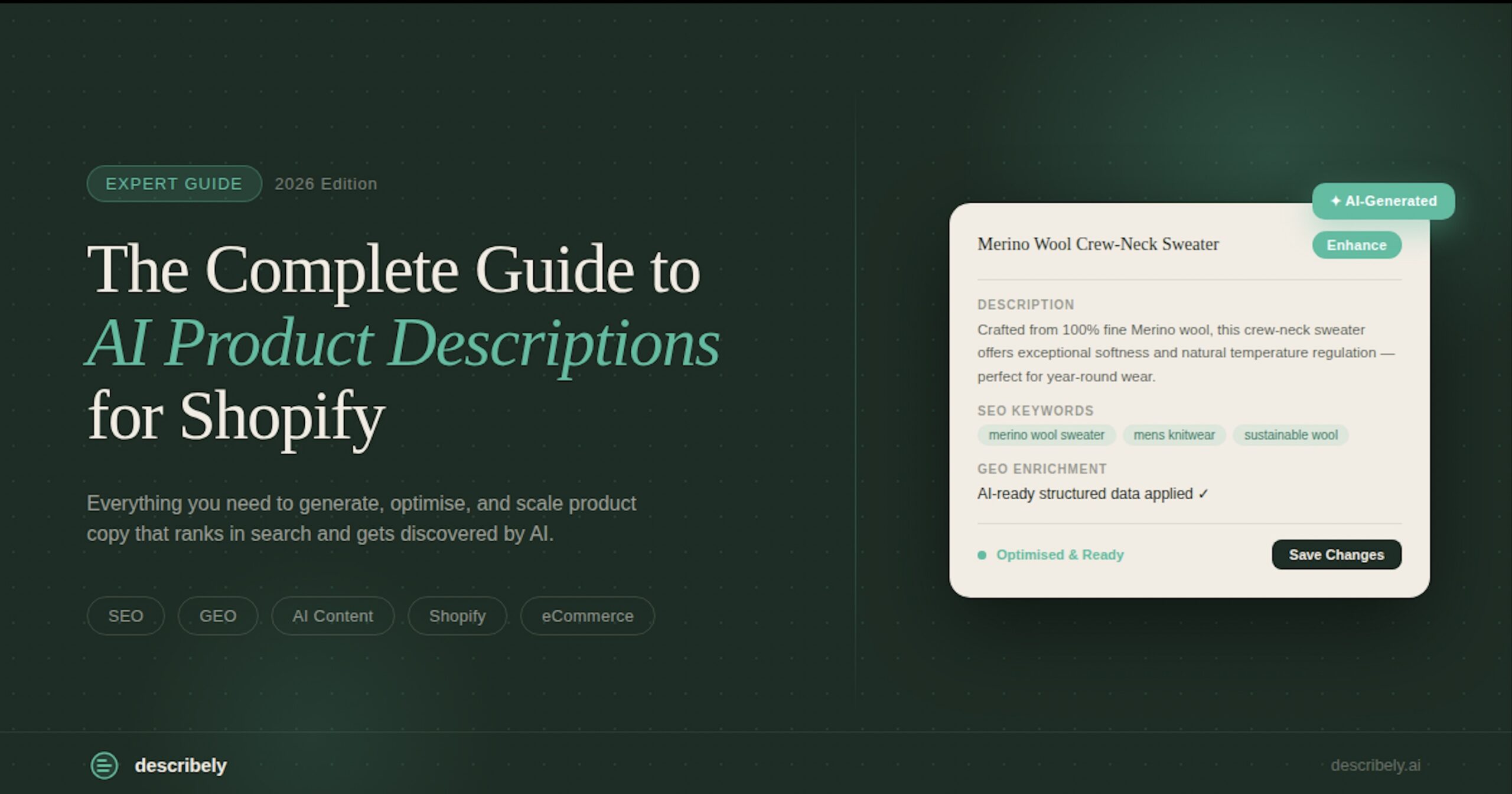
The Complete Guide to AI Product Descriptions for Shopify (2026)
A Shopify store with 500 products needs 500 product descriptions, 500 product titles, 500 meta descriptions, and 500 sets of keywords. That’s 2,000 individual content fields — before you add a single new product. Target Australia generates over 1,000 complete product descriptions every week using AI, with 98% accuracy at first generation. Their team used to spend two minutes per product. Now it takes two seconds.
This guide covers exactly how to build that workflow for your Shopify store — from a single product to your entire catalog.
What Is a Shopify Product Description Generator?
A Shopify product description generator is a tool that creates product descriptions, titles, and metadata for Shopify listings automatically, using AI. Instead of writing each description manually, you provide a product name, SKU, or basic details and the tool generates complete, ready-to-publish content.
The best Shopify product description generators do more than write a sentence or two. They generate everything a product listing needs to convert and rank: the description body, product title, meta title, meta description, keywords, and bullet points — all in one step. They also connect directly to Shopify so you can import your catalog, generate content, and publish back without copying and pasting.
Why Shopify Magic Isn’t Enough When Your Catalog Grows
Shopify Magic is a useful starting point. For a store with ten products and no copywriting budget, it generates a passable description from a product title in seconds. If you’re just launching, it gets the job done.
But Shopify Magic has a hard ceiling — and most growing stores hit it fast.
It works one product at a time. There’s no bulk generation. If you have 400 products to create or refresh, you’re running the tool 400 times — manually, one by one. That’s not a workflow; it’s a bottleneck with extra steps.
It can’t fill gaps in your product data. Shopify Magic writes from what you give it. If your product data is sparse — missing specs, dimensions, materials, or attributes — it generates vague, generic content. Garbage in, garbage out. For retailers who receive bare-bones data from suppliers, this is a constant problem.
It has no Content Rules. Every Shopify Magic generation starts from scratch with no memory of your brand voice, tone requirements, or style preferences. At ten products, you can manually edit for consistency. At a thousand, you can’t.
It’s locked to Shopify. If you sell on WooCommerce, manage products in Akeneo, or work across multiple storefronts, Shopify Magic doesn’t travel with you.
It doesn’t optimize for search. Shopify Magic generates copy. It doesn’t build keyword-enriched titles, structured meta descriptions, or content formatted for AI-powered discovery platforms like Google AI Overview, ChatGPT Shopping, or Perplexity.
When your catalog has 50 products, Shopify Magic is fine. When it has 500 — or 5,000 — you need something built for the whole catalog.
The Real Problem: Product Descriptions Are a Workflow Problem, Not a Writing Problem
Here’s the reframe that changes how you approach this: writing product descriptions at scale isn’t a creative challenge. It’s an operations challenge.
ChatGPT can write a product description. Shopify Magic can write a product description. A freelance copywriter can write a product description. The problem isn’t that writing the words is hard. The problem is that you have thousands of them to write, they need to be accurate, they need to sound like your brand, they need to be optimised for search, and they need to get into your Shopify store without a copy-paste marathon.
That’s not a writing problem. That’s a workflow problem.
The teams that crack this — like Target Australia and GoSparky — don’t have bigger writing teams. They have a better workflow. One that handles the full loop:
1. Enrich — fill data gaps before generating, so you’re not writing from incomplete information
2. Generate — produce complete listings for the whole catalog in one run, with brand voice built in
3. Optimize — ensure every description is structured for both Google rankings and AI search discovery
4. Publish — push content back to Shopify with one click, no copy-pasting
The rest of this guide walks through each stage.
How to Generate Shopify Product Descriptions at Scale: A 4-Stage Workflow
Stage 1: Fix Your Product Data First
Before you generate a single description, look at the quality of your product data. Sparse data produces generic descriptions — and no AI tool can fix that on the generation side.
If your catalog is coming from a supplier or manufacturer, there’s a good chance product records are missing key attributes: dimensions, materials, compatibility notes, technical specs.
This is especially common for distributors and retailers who receive raw product feeds.
GoSparky, a UK electrical distributor scaling toward 30,000 products, had exactly this problem. Their two-person team was spending days manually hunting specs from manufacturer websites before they could write a single description. (Source: Describely GoSparky case study)
The solution is data enrichment — automatically pulling missing product attributes from trusted web sources before generating content. With Describely’s Data Enrichment feature, you input a product name or SKU, specify a source (a manufacturer URL, for example), and Describely retrieves the missing specs automatically — with source attribution showing exactly where each data point came from. GoSparky replaced weeks of manual data hunting with a process that takes seconds per product.
The rule: enrich first, generate second. You can’t write accurate descriptions from incomplete data, and you shouldn’t have to.
Stage 2: Set Your Content Rules Once
Before your first bulk generation run, define how you want every product description to sound. This is where most teams lose consistency at scale — they generate batch one, edit it manually for tone, then forget what they changed by batch three.
Content Rules are configurable guidelines that tell Describely exactly how to write: tone of voice, description length, required phrases, things to avoid, structure preferences, and language. Set them once, and they apply automatically to every generation — single products, bulk runs, and API workflows.
Target Australia uses custom Content Rules to enforce department-specific tone and include calls-to-action in every description. The result: 98% first-generation accuracy across a 1,000-product weekly volume. Their team no longer spends time manually correcting tone and structure on every output. (Source: Describely Target Australia case study)
For agencies managing multiple Shopify clients, Content Rules support separate profiles per brand — so each client’s voice stays distinct without re-briefing the tool from scratch each time.
Stage 3: Generate in Bulk — Your Entire Catalog in One Run
With enriched data and Content Rules set, you’re ready to generate. This is where the difference between a tool and a workflow becomes most obvious.
Connect your Shopify store to Describely’s bulk generation and import your product catalog. Select the products you want to generate content for — all of them, a category, or a specific subset. Hit generate. Describely produces complete listings for every product simultaneously: description, title, meta title, meta description, keywords, and bullet points.
For Target Australia, that’s 1,000+ products per week. For GiftUniverse, it was 78 products processed in two hours — a job that previously took nearly two weeks of manual work. (Source: Describely GiftUniverse case study)
The key difference from running Shopify Magic or ChatGPT manually: you set your preferences once and they apply across the entire run. No re-prompting. No inconsistency between products generated on a Tuesday and products generated the following Friday.
Large bulk jobs can be cancelled mid-run if needed, and Describely’s job resiliency means hung jobs resume automatically — so you’re not manually restarting failed batches.
Stage 4: Review, Approve, and Publish Back to Shopify
Generated content goes into a review queue. You read through it, approve what looks right, and reject anything that needs rework. Approved products can be published directly back to you Shopify store with one click — no downloading, no importing, no copy-pasting into individual product records.
The Shopify integration handles the full loop: import products from Shopify, generate content in Describely, push approved content back. At scale, your team becomes a review operation rather than a writing operation — which is exactly where their time should go.
Best AI Tools for Shopify Descriptions
Most AI writing tools can produce a product description. Far fewer can produce 500 of them — accurately, on-brand, and synced back to your Shopify store without a copy-paste marathon. Here’s how the main options stack up for catalog-scale operations.
Describely — Built for Catalog Scale
Describely is purpose-built for eCommerce teams managing large product catalogs. Where other tools hand you a text box, Describely gives you a workflow: connect your Shopify store, enrich sparse product data, apply Content Rules for brand consistency, bulk generate across your full catalog, and publish back — all without leaving the platform.
It’s the only tool that solves the upstream data problem. When supplier data arrives incomplete (missing materials, vague sizing, no feature bullets), Describely’s Data Enrichment fills the gaps before generation starts. That’s why Target Australia generates 1,000+ descriptions per week at 98% first-generation accuracy.
Pricing is pay-as-you-go: $0.75 per product, $0.55 per enrichment credit, $0.05 per image credit. No subscription, no seat fees.
Jasper — Strong for Campaign Copy, Limited for Catalogs
Jasper excels at marketing copy: ads, email, landing pages. For product descriptions specifically, it works product-by-product with no native Shopify sync, no bulk generation, and no catalog management layer. Teams that start with Jasper for product content typically outgrow it once their SKU count passes a few hundred.
ChatGPT / DIY Prompting — Works Until It Doesn’t
ChatGPT can write a solid product description from a good prompt. It cannot manage a catalog.
There’s no Shopify connection, no Content Rules to enforce brand voice across 1,000 SKUs, and no enrichment for sparse data. Every description is a one-off — which means the time cost scales linearly with your catalog size. For teams with 50 products, fine. For teams with 500+, it breaks down fast.
What Makes a Strong Shopify Product Description?
A strong Shopify product description does three things: it answers the buyer’s key questions, it uses language that helps the product rank in search, and it gives the AI discovery platforms (Google AI Overview, ChatGPT Shopping, Perplexity) enough structured information to surface the product accurately.
Answer the buyer’s questions first. What is this product? Who is it for? What problem does it solve? What are the key specs or dimensions? These questions should be answered in the first two sentences. Buyers skim — the most important information needs to be visible without scrolling.
Use the language your buyers actually search. A product listed as “premium textile window covering” will not rank for “blackout curtains.” Use the specific terms your customers type into search — in the product title, description body, and meta title. Describely’s generation is keyword-aware by default, pulling relevant search terms into titles and descriptions as part of the standard output.
Structure content for AI readability. AI-powered discovery platforms read structured content better than dense paragraphs. Bullet points for key specs, clear attribute labeling, and specific rather than vague language all increase the likelihood that your product gets surfaced in an AI-generated response. A description that says “fits most standard outlets” is less citeable than one that says “compatible with UK 13A BS 1363 outlets.”
Keep length proportional to complexity. A phone case needs 80–120 words. An industrial compressor needs 250–400 words. Match description length to how much a buyer needs to know to make a confident purchase decision.
Shopify Product SEO: How to Optimize Descriptions That Actually Rank
Product page SEO on Shopify involves four key content fields, each with a specific role:
Product title — the single most important SEO field on a product page. Include the primary keyword, brand name where relevant, and a key differentiating attribute (size, colour, material). Keep it under 60 characters to avoid truncation in search results. “Black Leather Chelsea Boots — Men’s, Size 7–12” is better than “Our Premium Footwear Collection — Chelsea Style.”
Product description — supports ranking through keyword density and context. Use natural language, not keyword stuffing. Include secondary keywords and synonyms once each. Longer descriptions (150–300 words) give Google more context to understand what the product is and who it’s for.
Meta title — what appears in the Google search result. Should include the primary keyword near the front and a compelling hook. Keep it under 60 characters.
Meta description — what appears below the meta title in search results. Doesn’t directly affect ranking but significantly affects click-through rate. Include a benefit and a CTA: “Waterproof running shoes with carbon fibre sole. Free delivery on orders over £50.”
Beyond Google, product pages that are complete and attribute-rich are more likely to be cited by AI shopping platforms. The shift to AI-powered product discovery is accelerating: buyers are asking ChatGPT what to buy, using Google AI Overview to compare products, and getting recommendations from Perplexity before they visit a store. Product listings that are structured, specific, and data-rich will be found. Listings that are vague or incomplete will be invisible.
Describely’s generation is optimised for both environments by default — every output includes SEO-structured titles and metadata, and the content is formatted to be easily read and cited by AI models.
Shopify Product Description Templates by Category
Here are starting points for five common Shopify product categories. These are frameworks — Describely generates variations that apply these structures automatically at catalog scale.
Fashion & Apparel
Lead with the occasion or use case. Follow with fabric, fit, and care. Close with size availability.
*”The Arles linen shirt is made for warm-weather layering — breathable, relaxed-fit, and available in four washed colours. 100% European linen, garment-dyed for a softened finish. Machine washable. Available in XS–XXL.”*
Home Decor
Lead with the aesthetic statement. Follow with dimensions, materials, and placement suggestions.
*”A quietly architectural floor lamp for living rooms that don’t need to shout. Brushed brass stem, ivory linen shade, 165cm height. Suited to reading corners, beside sofas, or beside abed. Bulb included.”*
Electronics & Tech Accessories
Lead with the core function. Follow with compatibility, key specs, and what’s in the box.
*”The ProDock 7-in-1 USB-C hub adds three USB-A ports, 4K HDMI, SD card slot, and 100W passthrough charging to any USB-C laptop. Compatible with MacBook Pro, Dell XPS, and Surface. Cable included.”*
Electricals & Components (Distributor Use Case)
Lead with the product classification and standard. Follow with technical specs, compatibility, and certifications.
*”13A single pole fused connection unit with neon indicator. Compliant with BS 1363. Suitable for cooker, washing machine, and dishwasher installations. White finish. Cable outlet on left or right.”*
Garden & Outdoor
Lead with the season or growing condition. Follow with plant type, dimensions, and care requirements.
*”A cold-hardy perennial that blooms through the first frosts of autumn. Sedum ‘Autumn Joy’ reaches 45–60cm in height, producing flat-topped clusters of pink-to-rust flowers. Full sun, well-drained soil, drought-tolerant once established.”*
Common Mistakes with AI Product Descriptions (And How to Avoid Them)
AI makes generating product descriptions fast. It doesn’t make them automatically good. These are the mistakes that separate teams who get real results from those who end up with a catalog full of content they have to rewrite.
Publishing Without a Review Step
AI generation is not a zero-QA process. First-generation accuracy at scale is high — Describely customers like Target Australia hit 98% — but that still means roughly 1 in 50 descriptions needs a human eye. The fix isn’t reviewing everything; it’s building a structured review step into your workflow where a single editor spot-checks a sample before bulk publish. Skipping this entirely is where brand voice drift starts.
Not Setting Content Rules Before You Generate
If you generate 500 descriptions without locking in your tone, vocabulary, and product attribute format first, you’ll get 500 technically correct descriptions that don’t sound like each other.
Content Rules — defined once, applied across your entire catalog — are what keep a 2,000-SKU store sounding like it was written by one person. Set them before generation, not after.
Treating Descriptions as a One-Time Task
Product data changes. Seasonal ranges rotate. New materials, updated sizing, compliance requirements — all of it eventually makes a description inaccurate. Teams who generate once and never revisit end up with catalog content that quietly goes stale. Build a review cadence into your operations: quarterly for evergreen lines, immediately when supplier data changes.
Frequently Asked Questions
Is there a free Shopify product description generator?
Shopify Magic is included in all Shopify plans at no additional cost and generates single product descriptions in the Shopify admin. For bulk generation, data enrichment, and brand-consistent output at catalog scale, Describely offers a free trial with no credit card required.
How many Shopify product descriptions can I generate at once?
With Describely, there’s no per-run limit. You can import your entire Shopify catalog and generate content for every product in a single bulk job. Target Australia generates over 1,000 product descriptions per week this way. Describely is priced at $0.75 per product on a pay-as-you-go basis — no subscription required.
Will AI-generated Shopify product descriptions rank on Google?
Yes, when they’re generated correctly. AI-generated descriptions that include the target keyword in the title and description, use specific rather than vague language, and include complete product metadata are treated the same as manually written descriptions by Google. The issue isn’t AI authorship — it’s content quality and structure. Describely’s generation is optimised for SEO by default.
What’s the difference between Shopify Magic and Describely?
Shopify Magic generates one product description at a time in the Shopify admin, with no data enrichment, no Content Rules, and no bulk capability. Describely handles full catalog generation — import all your products, enrich missing data, apply a consistent brand voice, generate complete listings in bulk, and publish back to Shopify with one click. Shopify Magic is a starting point; Describely is the full workflow.
Can I use Describely with WooCommerce, not just Shopify?
Yes. Describely connects to Shopify, WooCommerce, Wix, Squarespace, and Akeneo, and also imports via CSV and XLSX. It’s not Shopify-only — it’s built for any eCommerce catalog workflow.
How does Describely keep my product descriptions on-brand?
Through Content Rules — configurable guidelines that define tone, length, required phrases, structure, and exclusions. Set them once; they apply automatically to every generation across your entire catalog. Target Australia uses department-specific Content Rules to maintain consistent voice across all product categories without manual editing.
What happens if my supplier data is incomplete?
Describely’s Data Enrichment feature fills data gaps automatically before generating descriptions. You input the product name or SKU and a source URL (such as the manufacturer’s website) and Describely retrieves missing specs, attributes, and details — with full source attribution. This means you’re generating from complete, accurate data rather than guessing or leaving fields blank.
How long does it take to set up Describely for my Shopify store?
Connecting your Shopify store takes a few minutes. Once connected, you import your catalog, configure your Content Rules, and you’re ready to generate. Most teams are running their first bulk job within the first session. Concierge onboarding is available if you want a guided setup with a content specialist.
Start Generating Shopify Product Descriptions Today
If your team is spending more than a few minutes per product on descriptions — or if you’re hitting the limits of Shopify Magic with a catalog that keeps growing — the workflow above is the path out.
The teams getting the most out of AI product content aren’t using smarter prompts. They’re using a platform that handles the full loop: enriching product data before generating, applying brand voice automatically, generating complete listings in bulk, and publishing back to Shopify without manual steps.
Start your free trial — no credit card required. Connect your Shopify store and generate your first batch of product descriptions today. Or explore the Shopify integration to see how the import and publish loop works.